SolutionTree – Decision Tree Software for Microsoft Excel

Build Powerful
Decision Trees
in Excel

Build and analyze professional decision trees, compare uncertain outcomes, and identify the best course of action—all without leaving Excel.

Works Entirely in Excel
Build Trees Visually
Run What-If Analyses
Identify the Optimal Policy
Create Professional Reports
👨🏻 👩🏻 👨🏼 👩🏼 👨🏻
★★★★★
Trusted by professionals worldwide
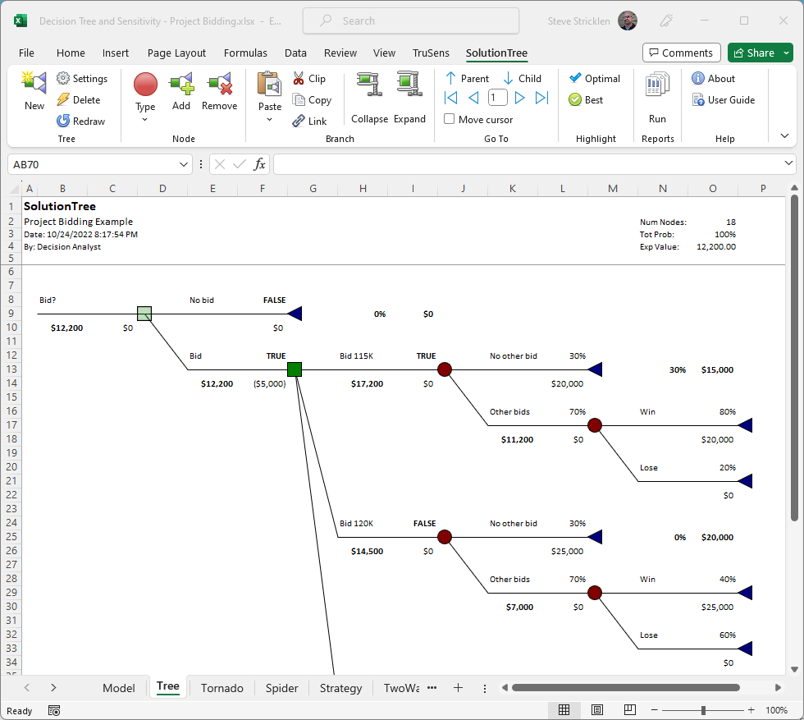
Decision tree created in Excel with SolutionTree

GTI uses decision trees to guide risk-informed data acquisition strategies. We use SolutionTree because it's intuitive and simple to use. Plus, the technical support is outstanding.

Ernest Lever Research and Development Director Gas Technology Institute
100% Satisfaction Guarantee

See SolutionTree in Action

See how SolutionTree simplifies decision-tree analysis directly in Microsoft Excel.

Decision Tree Analysis Made Easy

Decision tree analysis is a powerful tool for making complex decisions under uncertainty. SolutionTree makes it easy by letting you build, analyze, and update decision trees directly in Excel—calculate expected values, compare alternatives, identify the optimal strategy, and clearly communicate your results.

Build Decision Trees
Visually in Excel

Create dynamic decision trees directly in Excel. Map outcomes, probabilities, and values with ease.

Identify the Optimal
Strategy

Calculate expected values and roll back the decision tree to reveal the best course of action at every stage.

Analyze & Share
Results Instantly

Generate clear reports and share insights with your team for smarter, faster decisions.

Try SolutionTree Free for 14 Days

Build and analyze decision trees directly in Excel with full access to every SolutionTree feature. No credit card required.

Built for Excel

Work in the familiar Excel environment—no new platform to learn.

Fully Functional

Build complete decision trees and explore all analysis and reporting features.

No Risk or Obligation

Try SolutionTree free for 14 days before deciding whether to purchase.

Start Your Free Trial

Enter your information below to access your free 14-day trial.

No credit card required. We respect your privacy.

microsoftexcel

100% Excel

Works inside Excel.
No new tools to learn.

Save Time

Automate complex analysis
in minutes, not hours.

Reduce Risk

Evaluate more scenarios
and make data-driven
choices.

Make Better Decisions

Gain clarity and confidence
with every decision.

SOLUTIONTREE FEATURES

Everything You Need for Smarter Decision Analysis

Powerful tools built directly into Excel to make decision analysis faster, easier, and more accurate.

01

100% Excel Functionality

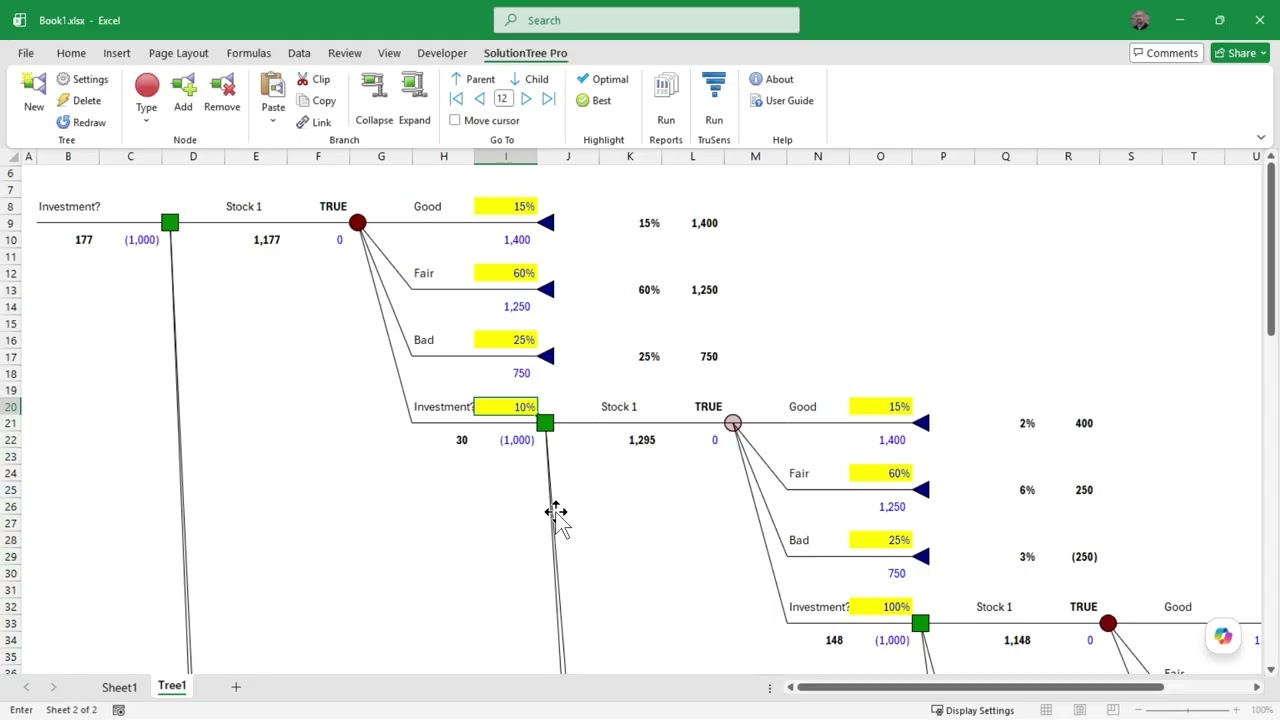
SolutionTree integrates seamlessly with Microsoft Excel. Model and analyze your decision trees directly in your spreadsheet using the skills you already have. Easily perform complex decision analysis, create automated risk reports, and more -- with almost no learning curve!

02

Optimal Path Calculation

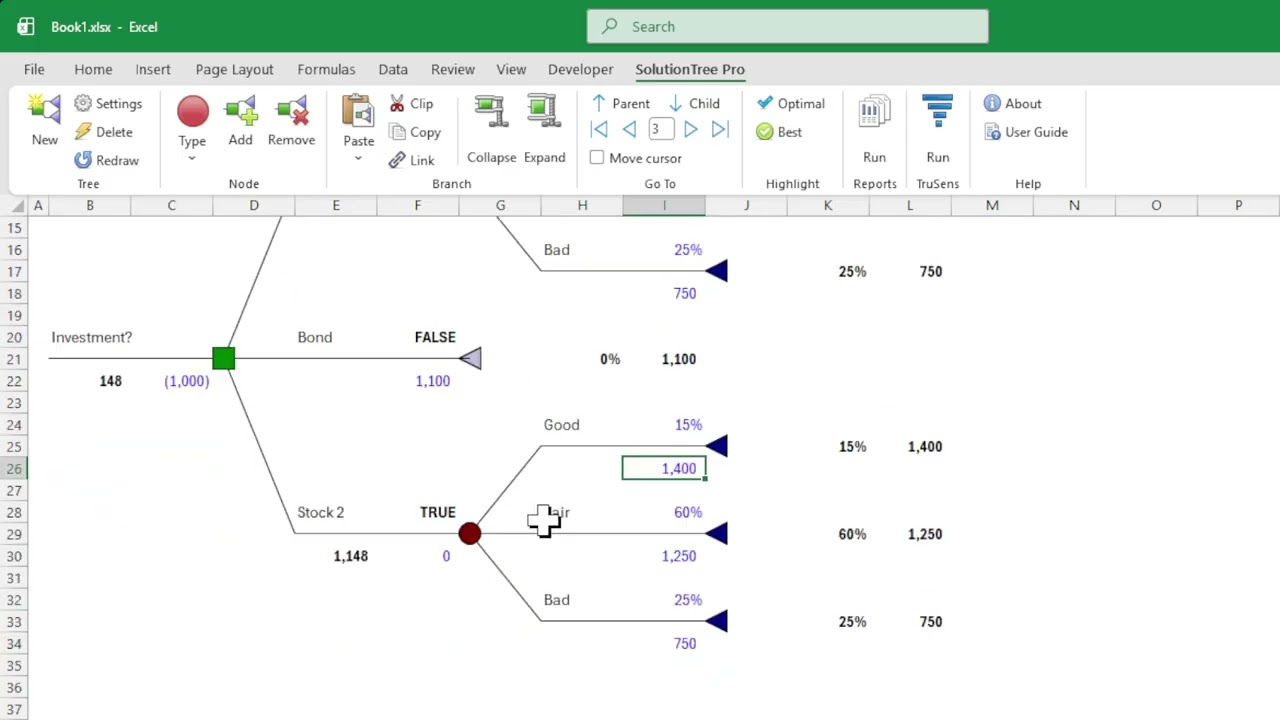
SolutionTree automatically calculates the optimal path through your decision tree. As you update the node values, the custom functions will determine the best alternatives by "folding back" the optimum expected value for the entire decision tree. Decision analysis doesn't get any easier than this.

03

No Messy Dialog Boxes

SolutionTree is a lightweight diagram that sits on top of the spreadsheet. And you make your inputs in the spreadsheet like you've always done, instead of in some bulky, complicated dialog box.

04

Cut, Copy & Paste Branches

With SolutionTree building complex decision trees is easy. Any branch can be moved or copied from one node to another. And you can choose to copy the formulas or just the values, just like you're used to doing in Excel already. You can even paste the branch to a new decision tree or to a different tree in the same workbook.

05

Collapse & Expand Branches

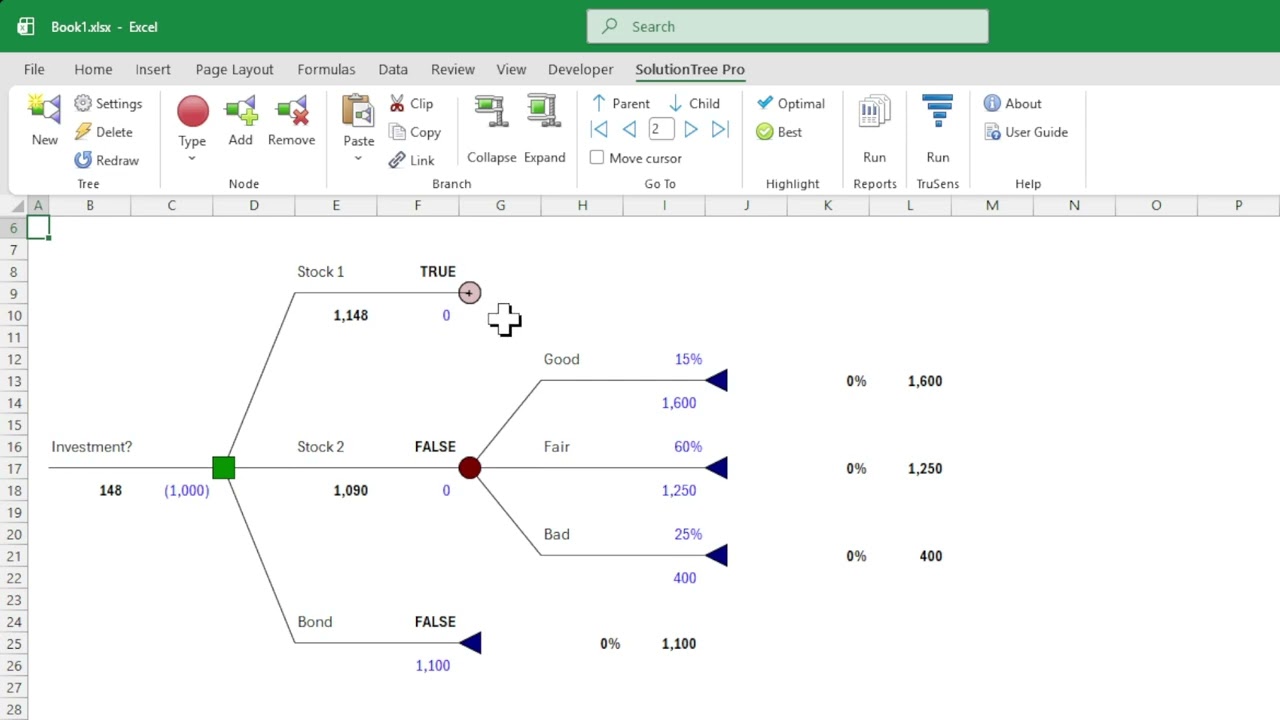
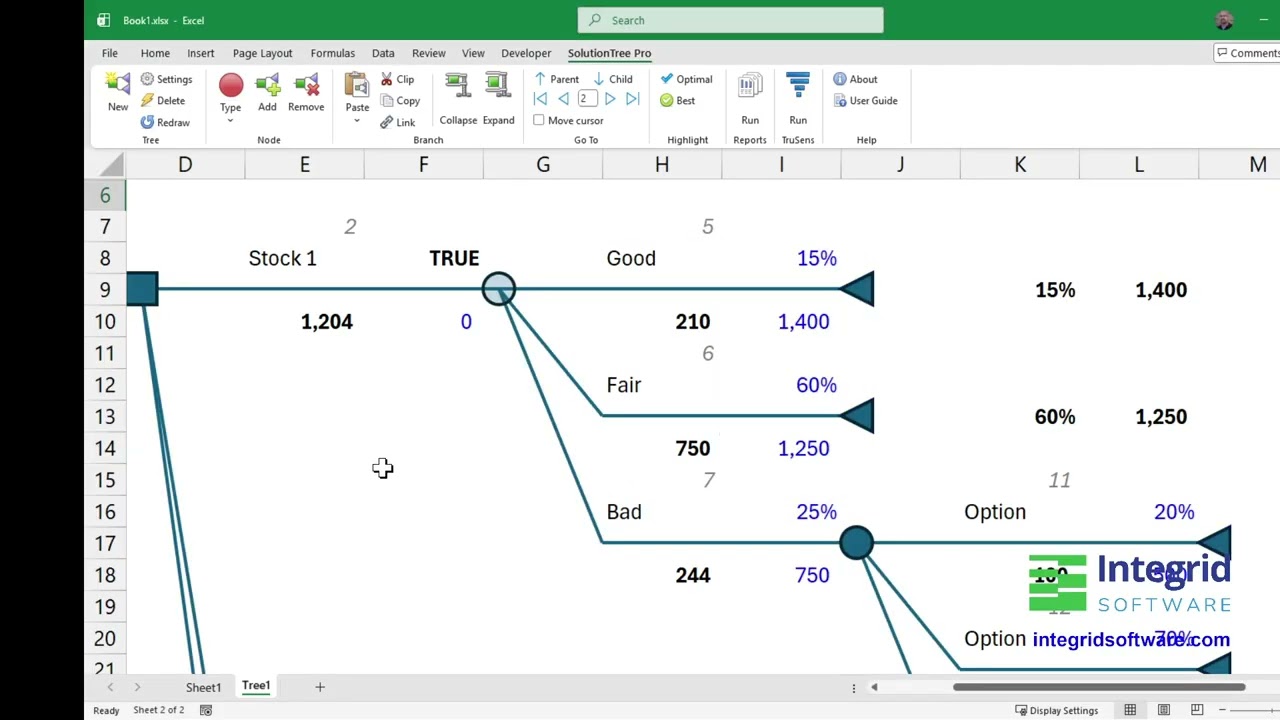
Sometimes a decision tree will get too complex to take it all in. With SolutionTree you can easily collapse nodes to hide large branches, and you can expand any collapsed node at any time. Tip: To prevent accidental changes or hide sensitive data you can collapse the branch, then protect the worksheet -- great for presentations and printouts!


06

Tree & Node Level Validation

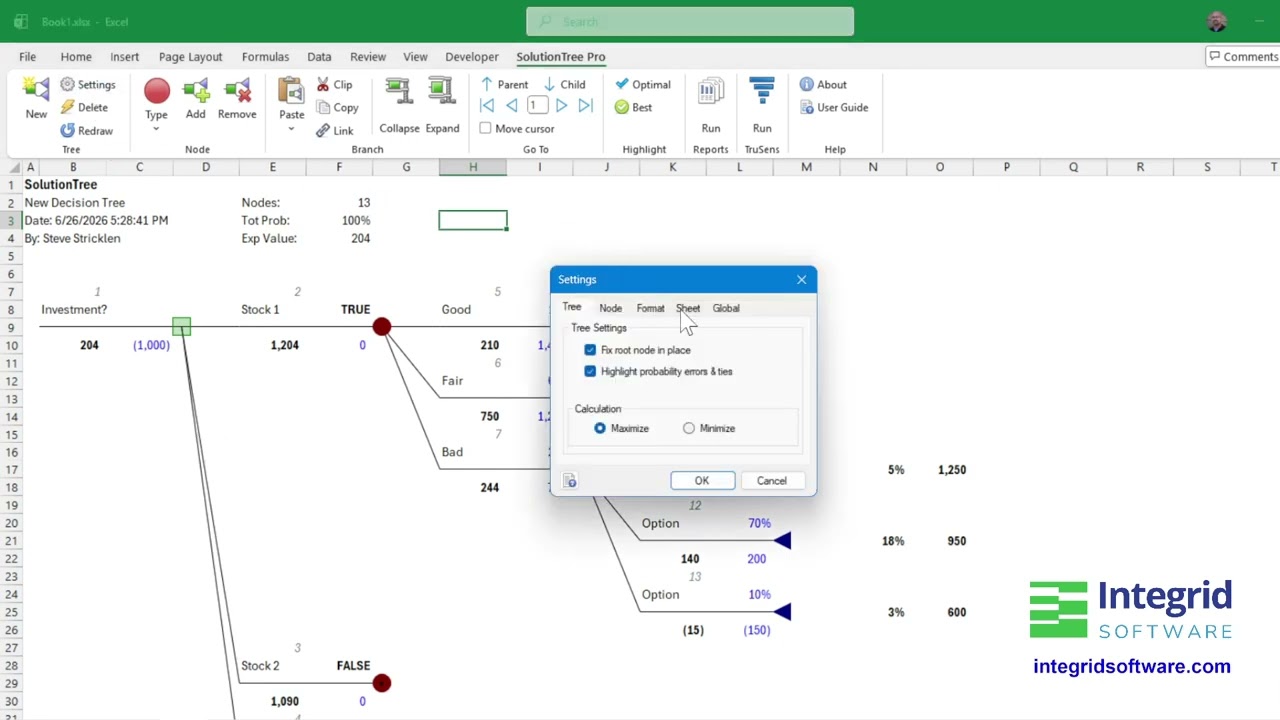
In any decision tree the total probability must equal 100%. SolutionTree keeps track of this for you so you'll always know if your tree is valid. Plus, any node's children must have a total probability of 100%. SolutionTree can automatically highlight any errors for you allowing you to easily see which nodes need correcting.

07

Two Tree Layouts

You can choose the "Fixed Root Node" setting to keep the root node at the top of the spreadsheet (as shown in screenshot above), or use the standard layout, where the root node "floats" up and down on the spreadsheet depending on the tree structure.

08

Automated Risk Reports & Charts

With a click of a button you can create a Risk Profile for the active decision tree. Another click for the Cumulative Probability report. You can also create an Optimal Path report which displays only branches and nodes in the decision tree's optimal path.

09

Customizable Graphics

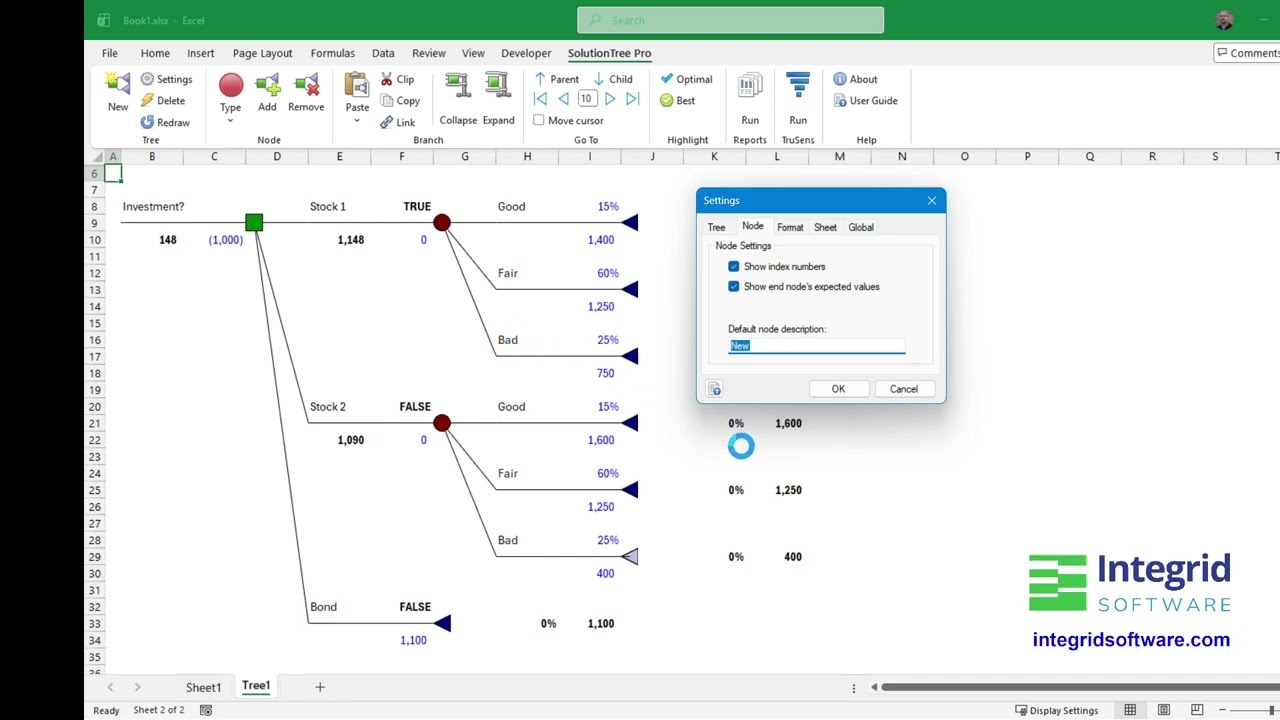
Because SolutionTree harnesses the built-in graphical capabilities in Excel, you can change the look and feel of your decision trees to suit your needs -- shadows, reflections, 3D and much more.

Save Money with the PRO Combo!

SolutionTree PRO

SolutionTree PRO

The PRO version includes a full-featured version of TruSens, all under a single tab in the Excel Ribbon.

FAQs

Our add-in works with Microsoft Excel 64-bit on Windows 10/11.

No, our add-in works only on Windows.

Learn more about our
Excel add-ins.

Complete the form and we’ll contact you within one business day.